The AI revolution is in full swing, and a new framework is making waves: Model Context Protocol (MCP). You can think of MCP as the glue that binds AI agents together. How? It enables seamless interaction along with scalability, and interoperability across multi-agent systems.
If you’re a developer trying to enhance the capabilities of large language models (LLMs) you need to keep Building AI Applications with MCP on your radar. Now for business leaders strategizing your next AI-powered initiative, MCP is something that can prove highly valuable for you.
This article breaks down MCP’s growing relevance, its role in tool-augmented AI, and how it’s shaping the next frontier of AI development and business applications.
What is Model Context Protocol (MCP)?
Model Context Protocol (MCP) is an open standard for connecting AI applications to external tools and information sources. It uses a client-server architecture so compatible applications can access the capabilities exposed by MCP servers.
MCP AI development involves building these connections around a useful workflow. For example, an application could retrieve project records or call a business tool through an MCP server. Developers still need to implement the underlying integrations, permissions and application logic.
Why is MCP Gaining Traction?
Below we have mentioned the core reasons why MCP is attracting attention.
Solves AI Fragmentation: The current AI landscape is a tangled mess of disparate models. Even tools, and APIs are all here and there. MCP introduces a unified protocol to make integration effortless.
Optimized Multi-Agent Systems: AI is increasingly moving towards multi-agent architectures. MCP’s role is to make sure that these agents operate in harmony rather than in silos.
Supercharges LLMs: LLMs alone can be limited. MCP helps them interact with external tools. Not only that it also interacts with databases, and APIs and turns them into fully functional problem-solving machines.
Brief Origin of MCP
Now, there is the question where did MCP come from. MCP emerged from the need to create a structured,as well as universal standard for AI model interactions. Organizations like Anthropic have been at the forefront of this initiative. They are recognizing that a standardized AI communication layer is critical for the next wave of intelligent automation.
MCP in Multi-Agent Systems
In this next section, we are exploring how AI Applications with MCP integration in ai agent works and improves Multi-Agent Systems.
How does MCP Standardize Agent Interactions?
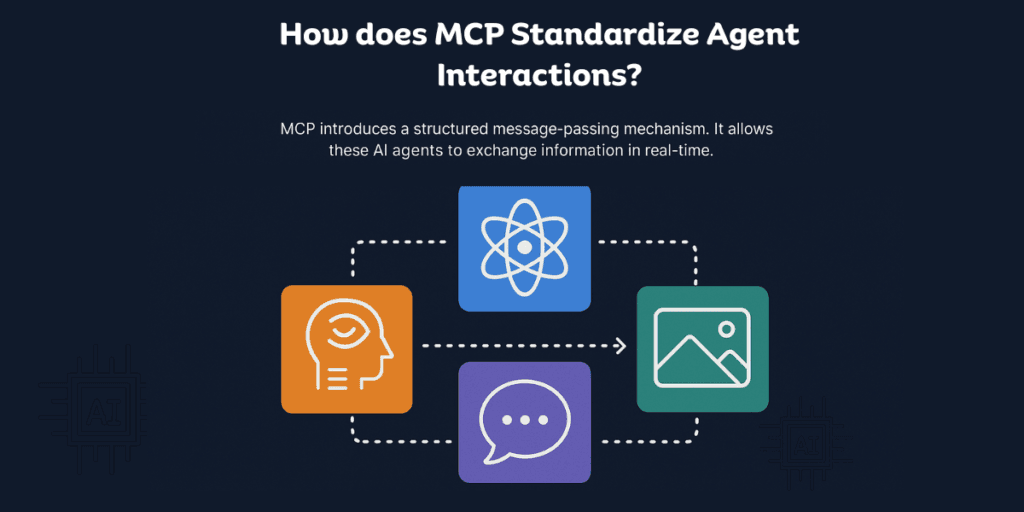
When it comes to yraditional AI models, they often struggle with interoperability. One model might be great at image recognition on the other hand it excels at natural language processing—but getting them to work together has been a challenge.
MCP introduces a structured message-passing mechanism. It allows these AI agents to exchange information in real-time without requiring developers to manually integrate custom APIs.
Real-World Use Cases
The below mentioned are the scenarios where you can employ MCP.
AI-Powered Research Assistants | AI-driven research tools that dynamically pull information from different sources. In this case, it aids in summarization of key points, and provide citations |
AI Customer Support Systems | It can also be applied to chatbots that don’t just respond but intelligently escalate queries to specialized AI modules for sentiment analysis. Apart from that it is also useful for chatbots that support fraud detection, or real-time recommendations. |
Autonomous Coding Assistants | It is also good for AI copilots that go beyond simple code suggestions by running tests alongside debugging errors, and even optimizing existing codebases. |
Healthcare Diagnostics | AI-driven systems that can collaboratively analyze radiology scans or pathology reports, and patient history to generate more accurate diagnoses. |
Financial Market Analysis | AI agents that assess economic indicators like stock market trends, and global events in real time to offer predictive financial insights, MCP can be employed here. |
MCP-Based AI Agent for a Construction Management Platform
An MCP-based AI agent for a construction management platform could help project teams retrieve information from connected schedules, document repositories and issue trackers. This is an illustrative workflow, rather than a verified client case study.
For example, a project manager might ask, “Which unresolved requests for information could affect next week’s work?” Through tools exposed by MCP servers, the agent could retrieve open requests and relevant schedule entries, then prepare a summary with links to the source records.
The implementation should check project permissions and document revisions before returning information. Changes to schedules, purchase orders or safety-related instructions should follow the organisation’s approval process.
MCP & Tool-Augmented AI Applications
Below mentioned is an exploration of the relationship of MCP & Tool-Augmented AI Applications.
How MCP Improves AI Agents
To understand how MCP improves AI agents, consider the information and tools an agent needs to complete a task. MCP provides a standard interface for accessing those capabilities. The application still determines how to use the results, handle errors and request approval. Connecting more tools does not automatically make an agent’s answers accurate. Today’s LLMs, while powerful, often feel like supercomputers without an internet connection. It simply translates to that they lack dynamic access to real-time tools and data. MCP changes that by allowing LLMs to interact with external tools seamlessly.
Here’s what that means:
Richer, more accurate responses by retrieving and verifying information in real-time.
Expanded problem-solving capabilities by executing scripts and querying databases.
Automated multi-step workflows where the model can delegate tasks to different AI agents.
For instance, an LLM-enhanced AI agent using MCP could write code, debug it, deploy it, and even monitor its performance autonomously—all within a single session.
Beyond that, imagine an AI-driven supply chain management system where agents coordinate procurement and simulatneously also handle logistics, and real-time inventory tracking across multiple vendors. That too, with near-zero human intervention. That’s the power of MCP in action.
Benefits of Building AI Applications with MCP for Developers & Businesses
As we have conveyed that MCP is beneficial for both Businesses and and developers. Here we are tabulating how.
For Developers | For Businesses |
Simplified Integration: You would now have no need to build custom solutions for every AI-agent interaction. | Scalability at Lower Cost: MCP makes AI ecosystems more adaptable. This reduces the need for custom engineering work. |
Challenges with MCP and How to Overcome Them
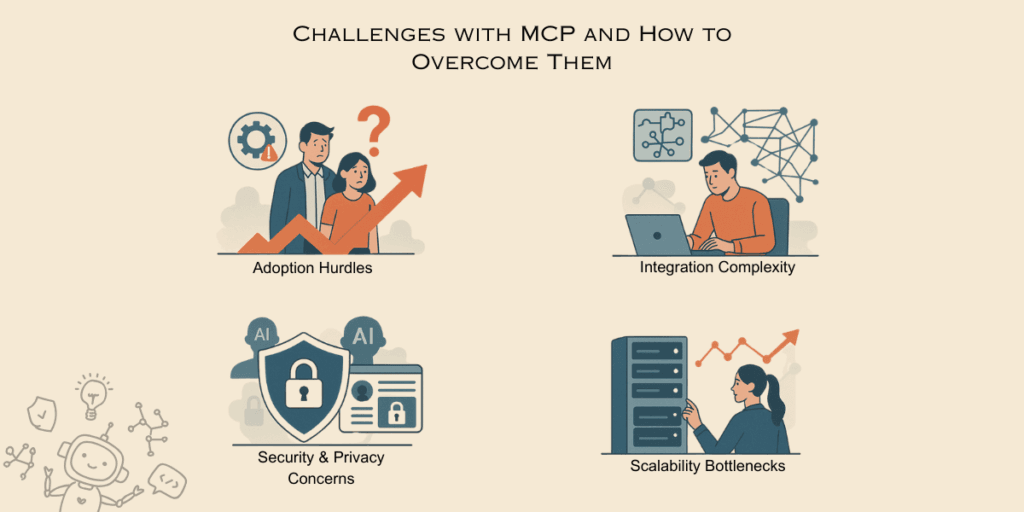
While MCP presents a groundbreaking approach to AI agent collaboration, it is not without its challenges. Some key obstacles include:
Adoption Hurdles – Many AI developers and enterprises are still unfamiliar with MCP. This will lead to slower adoption.
Solution: Community-driven workshops, and industry partnerships can accelerate its widespread acceptance.
Integration Complexity – While MCP simplifies interoperability in the long run, integrating it into existing AI infrastructures can be daunting.
Solution: Developing easy-to-use SDKs and APIs will help streamline the onboarding process for developers.
Security & Privacy Concerns – As AI agents share more data through MCP Server Marketplaces, making sure that you encrypt and provide permission-based access.
Solution: Implementing sturdy and stable authentication protocols and compliance frameworks will mitigate risks.
Running MCP at Scale – Running MCP at scale requires planning for concurrent users, tool response times, access controls and the limits of connected systems. A workflow that performs well during a demonstration may behave differently when several teams use it simultaneously.
Before expanding access:
Test realistic workloads and slow or unavailable integrations.
Set timeouts and controlled retries, preventing duplicate write actions.
Enforce permissions for each user, client and project.
Monitor tool failures, response times and operating costs.
Test changes to tool definitions before releasing them.
Scaling the MCP server is only part of the work. The databases, APIs and business applications behind it must also support the expected demand.
Getting Started & Open Source Resources
The best way to understand MCP is to explore its ecosystem firsthand. No matter if you’re a developer looking for open-source implementations or a business leader trying to evaluate its potential, these resources will help you take the next step.
Valuable Tools and Resources for Exploring MCP
Open Source Servers and Community Contributions:
Further Reading & Community Links
Reddit Community: r/mcp
Anthropic’s Official Documentation: Anthropic MCP Docs
YouTube overviews:
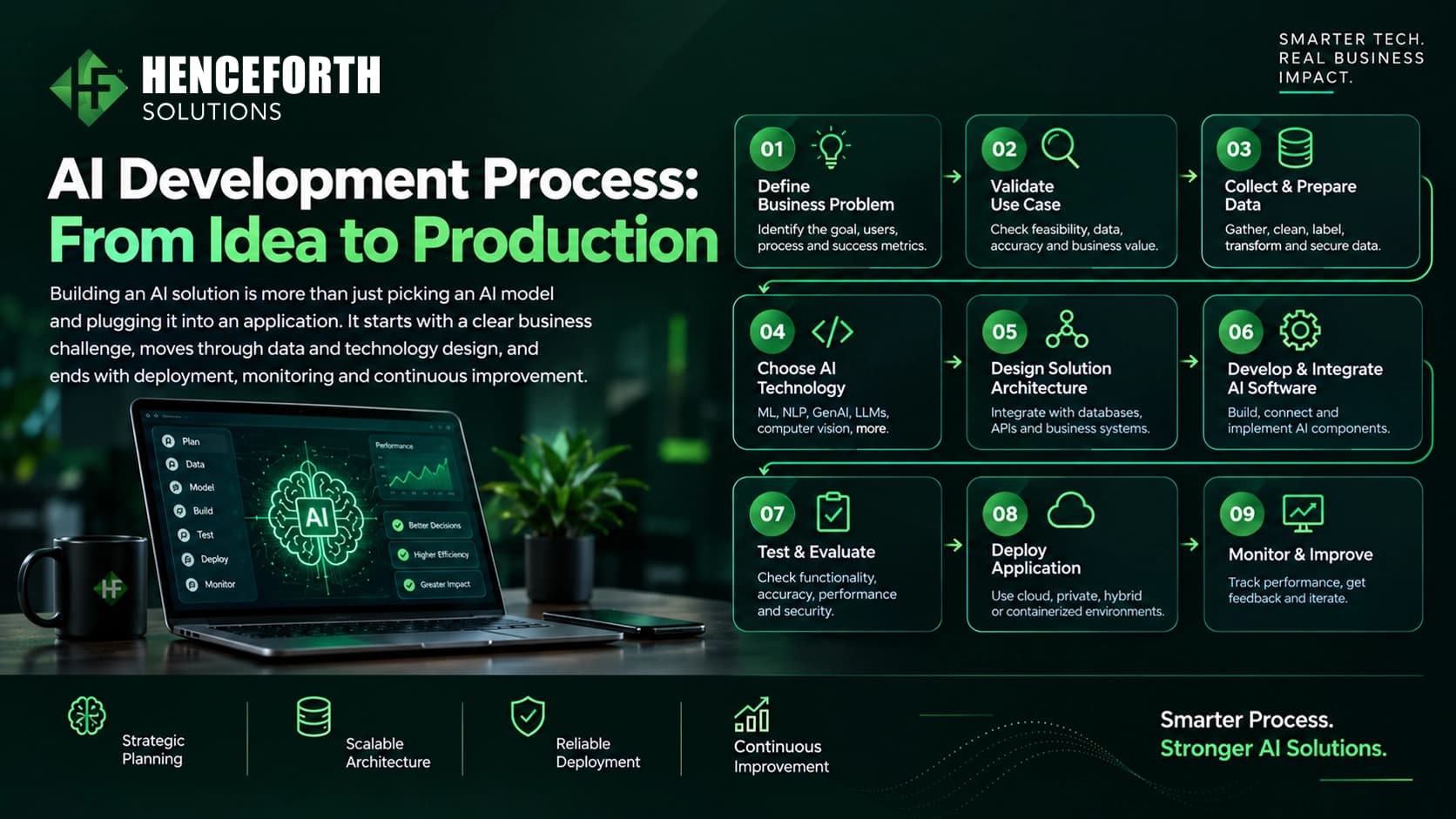
Ideal Workflow for Using MCP Tools and Servers
Implementing the Model Context Protocol (MCP) involves a structured approach that facilitates seamless interaction between AI models and external tools. Here’s a step-by-step guide to setting up and utilizing MCP in your development environment:
1. Environment Setup
Directory Structure: Create a dedicated mcp folder within your project’s source directory.
Install Dependencies: Install the MCP SDK along with necessary packages like zod for schema validation
2. Initialize the MCP Server
Boilerplate Code: Incorporate the standard MCP server boilerplate code into your project.
Run the Server: Use a command like bunx @modelcontextprotocol/inspector bun src/mcp/server.ts to start the server.
3. Define Tools and Resources
Tool Schemas: Set up schemas, names, and handlers for each tool your AI model will use.
Resource Definitions: Define any external resources (like APIs or databases) that the tools will interact with.
4. Connect to an MCP-Compatible Client
Configuration: Add the MCP server details to your client’s configuration file (e.g., claude_desktop_config.json).
Integration: Restart the client application to recognize and integrate the new tools.
5. Utilize in Development Workflows
Tool Invocation: Use the integrated tools within your development environment to perform tasks like code suggestions, debugging, or data retrieval.
Workflow Automation: Automate multi-step workflows by chaining tool invocations, enhancing productivity and consistency.
6. Monitor and Update
Logging: Implement logging mechanisms to monitor tool usage and performance.
Updates: Regularly update tool definitions and server configurations to adapt to evolving project requirements.
Why is MCP a Game-Changer?
MCP isn’t just tech jargon—it represents a fundamental shift in how we build AI systems. We’re moving away from standalone models toward collaborative networks where AI agents work together and leverage tools to solve complex problems. The world is now moving towards New AI Experiences with MCP.
For developers building cutting-edge applications or for business owners integrating AI into their business strategy, understanding MCP could be what sets you apart.
Are you ready to get started? Start today with the MCP ecosystem. Experiment thoroughly with the available tools, and connect with others who are actively shaping AI’s future. The revolution is happening now—don’t get left behind!