The right web development services make it easy for your customers to find what they're looking for and buy from you. Your visitors will expect pages to load quickly, menus to work on a mobile device, and a checkout that they can trust. If your site is slow or confusing, then pretty much everyone is just going to walk away.
Many website projects run over budget because key decisions are made too late, such as adding a booking system halfway through or discovering the site doesn’t meet accessibility rules. Knowing what to plan for upfront saves time and money. This guide covers the main web development trends for 2026, the factors that affect project costs, and how to choose the right web development company.
What Does Website Development Include in 2026?
Building a website isn’t just a coding job. A project usually starts weeks before any code is written and continues long after the site goes live. A typical project contains:
Planning: deciding what the site should achieve, who the site is for, which pages the site needs, and which features the site should include.
Design: laying out each page, bringing in the brand’s look, and making sure everything displays properly on any screen.
Development: turning the design into a working front end, setting up the server side, and linking every part of the site
Content: preparing the copy, choosing photos, and structuring each page for SEO
Testing and launch: checking loading speed, security, and compatibility across Chrome, Safari, Firefox, and Edge
Maintenance: installing updates, keeping regular backups, and refining the site as time goes on
Many corporations now look for full web design and development services rather than hiring individual designers and developers. With a single team, there’s one point of contact, fewer delays between stages, and a finished site that matches the original design.
Top Website Development Trends in 2026
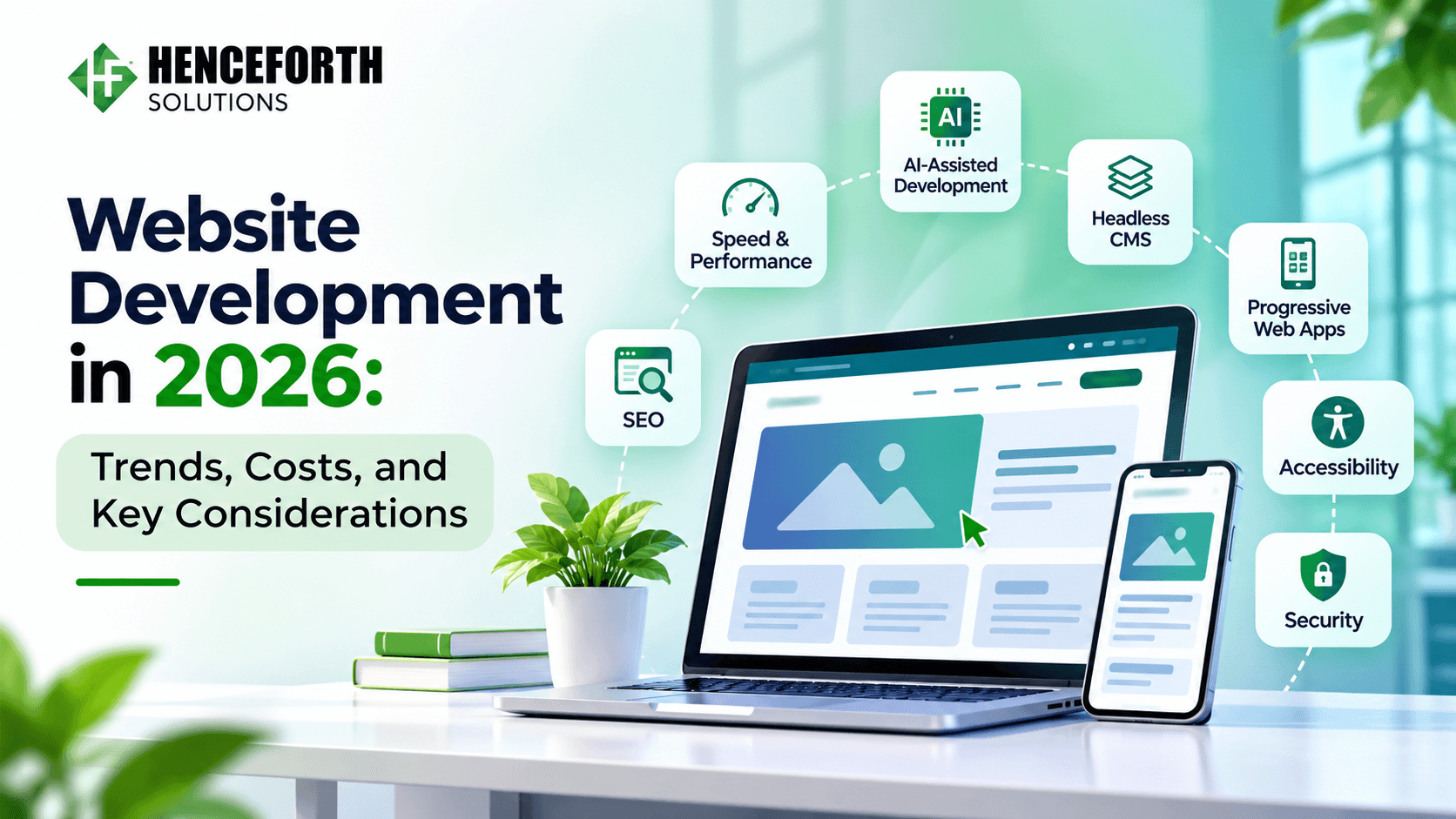
Some of this year’s web development trends can help you build faster and spend less. Others, like accessibility and security, are no longer optional. Knowing the difference helps you decide where your budget should go. Here are the trends that matter most for businesses this year.
1. AI-Assisted Development
AI tools assist developers in writing, testing, and reviewing code, helping reduce project time and save money in the process. Still, there is always a need for skilled developers because they check the code before launching anything.
Also, AI impacts the sites as well. Features like chatbots, intelligent search, and product recommendations are quickly becoming the norm for companies.
2. Speed as a Business Priority
Visitors leave slow websites, and search engines notice. Many development teams now use server-side rendering, which allows pages to display content faster, especially on mobile networks. Fast load times are no longer a bonus. They are expected from day one.
3. Headless CMS and Flexible Architecture
A headless CMS keeps your content separate from how it looks. You manage all your content in one place. Then you can publish it to your website, app, or digital kiosk. You don’t need to rebuild the content for each platform. This gives growing businesses the freedom to add channels as they grow. They don’t have to change their setup every time. It’s easier to scale without starting over.
4. Progressive Web Apps
Progressive web apps (PWAs) run in a browser but feel much like a native mobile app. They can work offline, send push notifications, and be added to a phone’s home screen with a single tap. For many industries, a PWA is a practical, cost-effective way to reach mobile users before committing to full app development services.
5. Accessibility by Default
An accessible website lets people with visual, hearing, motor, or cognitive disabilities read your content, fill in forms, and buy from you without help. This is also a legal requirement: the US Department of Justice states that businesses serving the public must make their websites accessible under the ADA. Clear color contrast, image descriptions, video captions, and keyboard-friendly forms are the basic features every site now needs.
6. Stronger Security Practices
Any site that stores customer details, takes payments, or has user logins is a target for attackers. HTTPS, regular software updates, two-factor login, and routine backups are now standard protections. Adding them during the build costs far less than recovering from a breach.
Many of these attacks start inside the code developers reuse. Sonatype found over 454,600 new malicious open-source packages in 2025 alone. Checking third-party code, keeping software updated, and using secure hosting with SSL help keep customer data safe.
7. Content Built for AI Search
Many people now ask tools like ChatGPT or Google’s AI Overviews for answers instead of browsing search results. These tools pull information from websites that are easy to read and clearly organized. Pages with plain headings, direct answers, structured data, and FAQ sections have a better chance of being quoted or linked in those answers.
What Affects Website Development Costs in 2026?
Web development trends in 2026 affect what you should budget for and what to ask your developer. Some trends can lower costs, while others are now basic requirements your site can’t skip. Here are the ones that matter most.
Here’s what it typically involves:
Design: A ready-made design is faster to implement and also cheaper in terms of budget. Design that is created for you and your brand and comes with your layouts and animation, requires more time and budget.
Number of pages: More pages require text content, design, and testing of each individual page, which will result in an increased number of hours and consequently an increase in price.
Features: Features such as online payment options, appointment setting, user accounts, and admin panel, etc., all require additional coding.
Integrations: Connecting the website to other systems such as CRM, ERP, or stock management systems, etc., all increase the cost of development.
Location of developers: Hourly rate for developers differs from country to country and even city to city.
Ongoing costs: Hosting, security updates, and content changes continue for as long as the site is live.
What to Consider Before Starting a Website Project
A website project is about more than how the site looks and works. Before you start, think about what you want the site to do for your business, who you’re trying to reach, how much you can spend, when you need it live, and which features your customers will expect. Each of these decisions affects how the site gets built, what it costs, and how long it takes. The following points cover what deserves your attention.
Define Clear Goals
Start with what the website needs to achieve. A site built to generate leads looks very different from one built to sell products or support existing customers. Once the goal is clear, the right structure and functionality become easier to choose, and quotes become easier to compare.
Plan for Mobile First
Most visitors now arrive on their phones. Every page, form, and button should work smoothly on a small screen before the layout is adjusted for desktop.
Build With SEO in Mind
Plan for search rankings while you build your site, not after it goes live. Fast-loading pages and simple links like /services/logo-design show visitors and Google what each page is about. Clear, well-organised content also helps AI tools describe your business correctly.
Plan for Long-Term Growth
As your business grows, your website will need to handle more visitors, take on new features, and possibly reach new markets. A flexible platform makes those changes easier and lowers the chance that you’ll have to rebuild the whole site later.
Pick the Right Development Partner
Price is only part of the decision when you hire a development company. Look at the projects they’ve already built and whether they’ve handled work like yours. Notice how clearly they communicate, and ask what support they give after launch. If you’re looking for the best web development company in Mohali or anywhere else, ask for client references and a clear project plan before you sign. That way you’ll know what to expect from the start.
What You Need: Website, App, or Both?
Not every business needs a mobile app from day one. A website that loads quickly and works well on phones can be enough to build your online presence and bring in customers. An app makes more sense once customers use your product often or need to use it without an internet connection.
Comparision | Website | Mobile App |
Main purpose | Introduces your business and attracts new customers | Serves existing customers and encourages repeat use |
Accessibility | Opens through a browser on any compatible device | Requires installation on a supported device |
Customer reach | Helps people discover your business through search | Mainly reaches users who have downloaded the app |
User experience | Offers a responsive experience across screen sizes | Provides a more app-focused mobile experience |
Offline access | Usually requires an internet connection | Can support offline access for selected features |
Notifications | Can support browser push notifications | Supports push notifications through the app |
Best suited for | Business information, lead generation, online stores, and bookings | Frequent interactions, repeat orders, and regular service use |
Starting with a website and adding an app later is a common, sensible path. Having one partner build both means your site and app look alike, share the same data, and feel familiar to your customers.
Closing Thoughts
Website development in 2026 is about much more than how a site looks. Speed, security, accessibility, and clear content now decide whether customers find your site and stay on it. Planning these early, with a realistic budget, saves time and money once the build begins.
The right partner for web development services makes that plan work in practice. Whether you need a simple business site, an online store, or a combined web and mobile product, choose a team whose web design and development services cover the full project, from first draft to ongoing support.