AI-Assisted Software Development: Risks, Governance and Best Practices

AI-assisted software development is the use of AI tools to help developers plan, write, test, review, document, and maintain software while people remain responsible for technical and business decisions. The safest approach combines AI-generated drafts with human review, automated testing, security controls, data-protection rules, and clear approval points.
Developers now use AI to understand codebases, generate boilerplate, draft unit tests, improve documentation, investigate defects, and review repetitive tasks. For businesses building intelligent products, AI software development services can turn these capabilities into practical, secure workflows.
However, speed alone is not a success metric.
AI-generated code can be inaccurate, insecure, difficult to maintain, or disconnected from the actual business requirement. If teams accept outputs without review, they can create technical debt faster than before.
This guide explains how to use AI-assisted software development responsibly, where it adds value, and what controls businesses need before expanding its use.
What Is AI-Assisted Software Development?
AI-assisted software development is the use of AI tools to support people who plan, build, test, deploy, and maintain software.
AI can help generate suggestions and first drafts. It can analyse patterns in code or tickets. It can structure information that would otherwise take hours of manual work.
It should not independently own a product decision, approve a release, access unrestricted data, or replace engineering review.
The most effective approach is human-led:
- AI handles repetitive analysis and drafting.
- Developers review code and technical decisions.
- QA teams validate real product behaviour.
- Product owners confirm business requirements.
- Security teams manage sensitive areas.
AWS describes this model as an AI-driven development lifecycle where AI supports execution while teams keep control of key decisions. Read AWS’s guidance on an AI-driven development lifecycle.
Where AI-Assisted Development Adds Real Value
Understanding Legacy Code and Documentation Gaps
Many businesses rely on applications that have grown over several years. Documentation may be incomplete, original developers may no longer be available, and new team members can struggle to understand the system.
AI can help developers:
- Explain functions and modules
- Summarise dependencies
- Identify repeated logic
- Draft technical documentation
- Suggest questions for codebase review
This can reduce onboarding time, but developers must validate every explanation against the actual code and architecture.
Creating Repetitive Code Safely
AI is useful for low-risk, repetitive implementation work such as:
- API endpoint drafts
- Form validations
- Data models
- Basic UI components
- Utility functions
- Test-data structures
- Documentation templates
The goal is not to merge generated code immediately. The goal is to give developers a useful starting point and allow them to focus on the logic that makes the product valuable.
Improving Testing Preparation
AI can help teams create a more complete initial testing checklist.
For example, an eCommerce product may need testing for payment failures, stock changes, discounts, duplicate orders, incorrect addresses, returns, notifications, and customer-support handovers.
AI can suggest edge cases and test scenarios quickly. QA teams must still validate the application across real devices, browsers, integrations, performance conditions, and customer journeys.
Supporting Internal Operations
AI-assisted development is also useful when building internal business tools. A development team may use AI to prepare workflow documentation, analyse support requests, or identify repeated manual tasks before designing an automation.
Businesses planning this type of work can explore AI automation services and AI integration services to connect AI capabilities with existing systems.

The Five Main Risks of AI-Assisted Software Development
1. Code That Looks Correct but Is Not
AI output often appears confident and well structured. That does not mean it understands your business logic, data model, architecture, or edge cases.
A generated function may work with a simple input but fail with incomplete data, unusual user actions, large datasets, or real production conditions.
Best practice: Treat every output as a draft. Review it against the requirement and test it before merging.
2. Security Vulnerabilities
AI can generate insecure patterns, use outdated dependencies, or miss access-control requirements.
Typical risks include:
- Weak authentication or authorisation
- Unsafe handling of user input
- Exposed credentials or secrets
- Missing data validation
- Vulnerable third-party packages
- Insecure API calls
- Weak error handling
Best practice: Keep peer review, secure coding standards, dependency scanning, automated testing, and security testing in the delivery process.
For AI systems using large language models, teams should also understand risks such as prompt injection, insecure output handling, sensitive-information disclosure, and excessive agency. The OWASP Top 10 for LLM Applications is a strong starting point.
3. Confidential Data Exposure
Developers may accidentally paste customer data, source code, passwords, API keys, internal documents, or private business information into a tool that has not been approved for that use.
Best practice: Create a simple internal policy defining:
- Which AI tools are approved
- What data can be shared
- What data is prohibited
- Who can connect tools to business systems
- Which actions need human approval
4. Poor Maintainability
AI can generate a working solution that no one on the team fully understands.
This causes problems when a feature needs to change, an incident occurs, or another developer inherits the project.
Best practice: Developers must understand and own the final implementation. If the team cannot maintain the code without the AI tool, the work is incomplete.
5. Unclear Decision Ownership
AI can suggest a database design, architecture option, library, or deployment approach. It cannot be accountable for the cost, compliance, performance, or operational consequences.
Best practice: Assign named owners for product requirements, architecture, code review, QA, security, and production release.
A Practical AI Development Governance Framework
You do not need a long policy document before starting. You need clear rules that match your business risk.
| Area | Recommended practice |
|---|---|
| Tool selection | Use only approved AI tools with understood data-handling policies |
| Data protection | Restrict credentials, confidential code, personal data, and client data |
| Code quality | Require code review and automated testing for AI-assisted changes |
| Security | Use secure coding standards and review sensitive features |
| Documentation | Record major technical decisions and important assumptions |
| Access control | Limit what AI-connected tools can read, write, or execute |
| Human approval | Require approval for production changes and high-impact actions |
| Monitoring | Track defects, incidents, rework, and quality outcomes |
Businesses that need help defining suitable use cases, controls, and a phased implementation plan can start with AI consulting services.
A Safer Day-to-Day Workflow for Developers
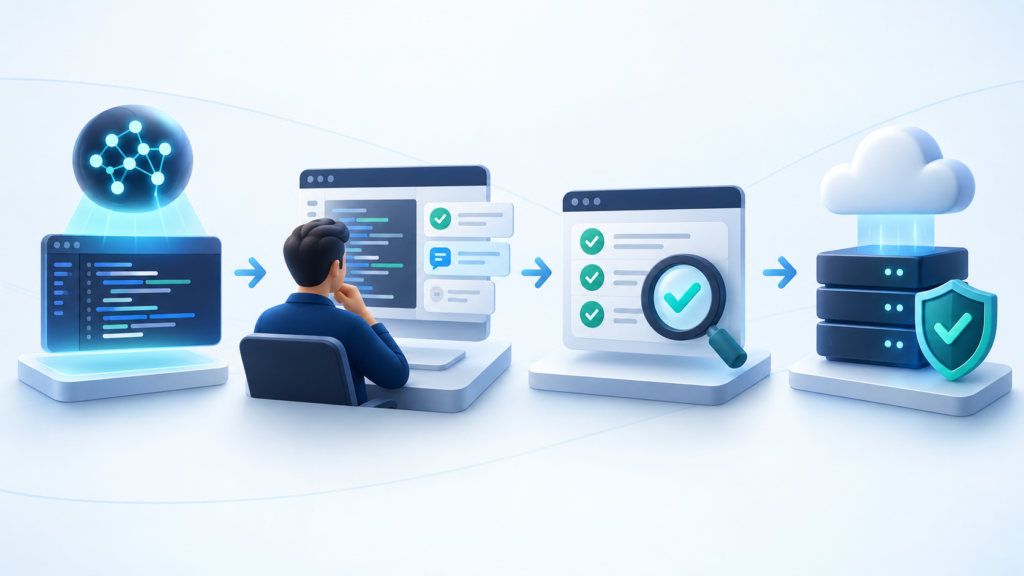
AI-assisted software development does not need to slow the team down. Use this workflow:
- Define one clear task.
Ask AI to explain a specific function, draft a unit test, list edge cases, or review a contained code change. - Provide only necessary context.
Use anonymised examples where possible. Do not share confidential information unless the tool and access have been approved. - Ask for limitations and alternatives.
Do not only ask for an answer. Ask what could go wrong, what assumptions are being made, and what should be tested. - Review the response.
A developer, QA specialist, architect, or product owner should validate the output based on the task. - Test before release.
Use unit tests, integration tests, manual QA, performance checks, and security review where relevant. - Document material decisions.
Record why a key technical option was selected, especially for architecture, data handling, or security-sensitive work.
Useful Prompts for AI-Assisted Development
Code review prompt
Review this code for logic errors, security risks, missing edge cases, performance concerns, and maintainability issues. Do not recommend unrelated changes. Explain why each issue matters and what test would verify the fix.
Test-case prompt
Create test scenarios for this feature. Include standard use cases, invalid inputs, empty values, boundary conditions, expected errors, integration failures, and user-permission checks.
Refactoring prompt
Suggest a refactoring plan that improves readability and maintainability without changing business behaviour. List the risks, affected modules, and tests required before implementation.
Documentation prompt
Draft concise technical documentation for this module. Include its purpose, inputs, outputs, dependencies, error cases, and important implementation decisions.
When AI Should Not Act Independently
AI should not take independent action for:
- Production deployment
- Customer refunds or payment decisions
- Access-permission changes
- Deleting production data
- Security configuration
- Legal or compliance decisions
- Major architecture changes
- Sensitive customer-data updates
It can prepare an analysis, recommendation, or draft action. A qualified person should approve the final decision.
For workflows that need controlled actions across tools and systems, AI agent development services can help businesses design agents with clear permissions, audit trails, and human approval points.
How to Measure Whether AI Is Helping
Do not measure success only by the amount of code created.
Track whether AI-assisted software development improves real outcomes:
- Less time spent on repetitive work
- Faster codebase understanding and onboarding
- Better documentation quality
- Improved test coverage
- Fewer regressions after release
- Faster code-review cycles
- Lower rework
- Faster incident resolution
If output increases but defects, security concerns, or technical debt increase too, revise the process before scaling it.
Start Small, Then Scale
Start with one low-risk, measurable use case:
- Code explanation
- Documentation drafting
- Test-case creation
- Support-ticket categorisation
- Bug summarisation
- Internal-report preparation
After the team has a repeatable review process, expand to more complex work such as workflow automation, internal AI tools, or customer-facing solutions.
If your business needs customer conversations rather than internal development assistance, AI chatbot development services can help create context-aware support and engagement experiences.
Final Thoughts
AI-assisted software development can help teams deliver better software, but only when people remain responsible for the outcome.
The strongest teams use AI to reduce routine work, improve testing and documentation, and surface useful insights. They do not use it as a substitute for engineering judgment, product thinking, security standards, or accountability.
Henceforth Solutions helps businesses plan, build, integrate, and improve AI-powered products. Explore more AI and software development insights, or contact our team to discuss your product or automation requirements.
Frequently Asked Questions
Is AI-assisted software development safe?
It can be safe when businesses use approved tools, protect confidential data, review output, test code properly, and maintain human approval for sensitive actions.
Can AI-generated code be used in production?
Yes, but only after it has been reviewed, tested, and validated against business requirements, architecture, security standards, and performance needs.
Does AI-assisted development replace developers?
No. AI can reduce repetitive work, but developers remain responsible for architecture, code quality, security, testing, debugging, and long-term maintenance.
What is the biggest risk of AI-generated code?
The biggest risk is trusting it without review. AI output may contain incorrect logic, security issues, weak maintainability, or assumptions that do not match the actual product requirement.
How should a business start using AI in development?
Start with a low-risk, repetitive task such as documentation, test-case drafting, code explanation, or bug summarisation. Define review rules, measure the outcome, and expand only when quality remains high.